
Voice memo transcription
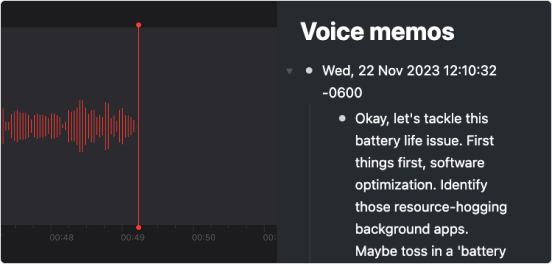
Record voice memos and have OpenAI transcribe it and send it your Fractal.
This is perfect for situations where typing something out is inconvenient or difficult. Use your device’s memo recording app and email it to a special zapier email where it’s transcribed by ChatGPT and sent to your Fractal account.
Note: You'll need a zapier subscription for this zap because it requires more than two steps. You'll also need to create an account on Openai to get an api key required for the transcription step.
How to use
Email voice memos to your custom zapier email and receive text transcriptions in your Fractal account.
- Click 'Use this zap'
- Specify a custom email address
- Test the trigger
- Set the OpenAI event to 'Create Transcription'
- Connect OpenAI to zapier
- Set 'Attachment' as the File as the OpenAI action
- Test the trigger
- Connect your Fractal account (need your api key?)
- Set 'Content' as the Title and 'Raw Date' as the Note
- Test your zap
- Publish your zap
Up next
Claude Desktop
Connect Claude Desktop to Fractal with a one-click local extension.
- Was this page useful? Give us feedback
- Need help? Contact Support
- Chat with other Fractal users on our Forum or Slack group