
Todoist tasks
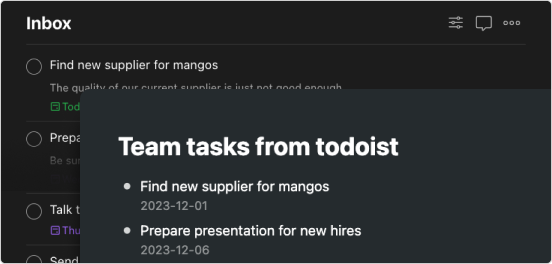
Whenever a new task is created in Todoist, it's also added to Fractal.
This type of zap is great if for example, your team uses todoist or some other task tracker app to handle projects. You can have zapier create new items in your Fractal inbox every time a new task is assigned to you. This way you can continue to use Fractal without having to check the other application for new tasks.
How to use
Connect your Todoist account to zapier and whenever you add a new task, it'll also be added to your Fractal account.
- Click 'Use this zap'
- Connect Todoist to zapier
- Choose the project to monitor
- Test the trigger
- Connect your Fractal account (need your api key?)
- Set 'Content' as the Title and 'Due Date' as the Note
- Test your zap
- Publish your zap
Up next
Voice memo transcription
Record voice memos and have OpenAI transcribe it and send it your Fractal.
- Was this page useful? Give us feedback
- Need help? Contact Support
- Chat with other Fractal users on our Forum or Slack group